


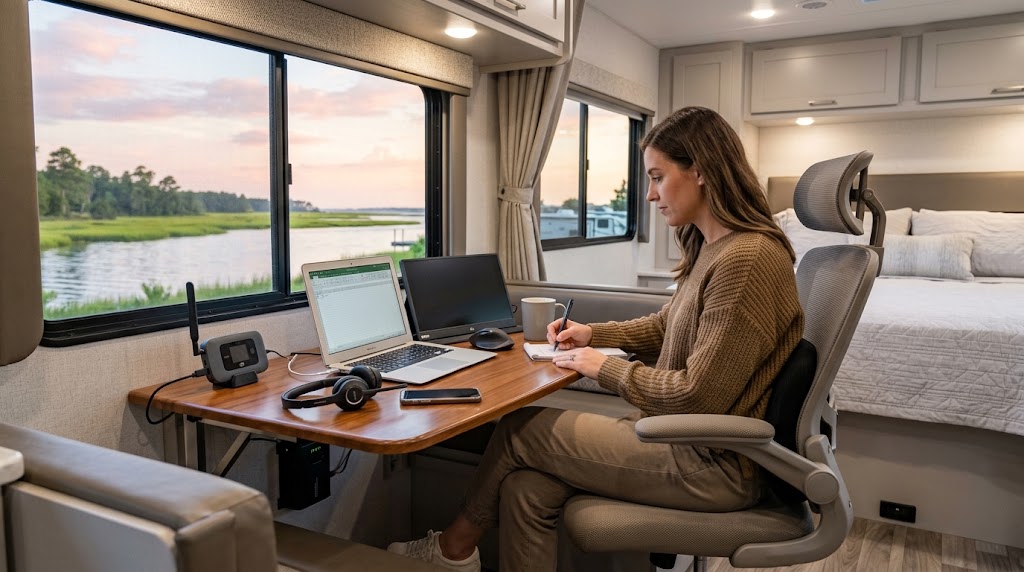
Working with a water view sounds ideal, but reliable remote work requires more than a laptop and a camping chair. Connectivity, power, privacy, weather, and ergonomics all affect whether the remote work RV lifestyle will be productive.
With the right preparation, a coastal RV park can become a practical temporary workplace.
Confirm Internet Access Before Booking
Never rely only on the word “Wi-Fi.” Ask the campground:
- Whether Wi-Fi reaches your intended site
- Whether guests can join video meetings
- Whether speeds change during busy periods
- Whether there are data or device limits
- Where the strongest signal is normally available
The FCC’s National Broadband Map can help you research providers, but reported coverage does not guarantee actual performance at a specific campsite. The FCC notes that real-world service can vary because of network capacity, terrain, and equipment. BDC Help Center
Test the connection after arriving and before an important meeting.
Always Carry a Backup
A dependable remote work RV lifestyle needs a second connection. Consider a mobile hotspot, cellular router, or another carrier’s data plan.
Download essential documents for offline access and keep important phone numbers available outside cloud-based apps. If your work handles sensitive information, follow your employer’s VPN and security requirements.
Create a Dedicated Workspace
Working from the bed or dinette may be manageable for one afternoon, but it can become uncomfortable during an extended stay.
Choose a space with:
- Back support
- A stable work surface
- Appropriate screen height
- Adequate lighting
- Charging access
- Ventilation
- Minimal background noise
Pack compact equipment that can be stored quickly at the end of the workday.
Protect Your Power Supply
Coastal storms and campground electrical demand can disrupt a workday. Use appropriate RV surge protection and keep devices charged.
A battery backup can provide enough time to save your work, finish a call, or shut equipment down safely. Discuss generators with campground management because operating hours and noise rules vary.
Plan Around Coastal Conditions
Humidity can affect electronics, while bright sunlight may make outdoor screens difficult to see. Salt air can also contribute to corrosion.
Keep devices inside when they are not being used, manage moisture within the RV, and avoid leaving equipment exposed overnight. These coastal allergy and indoor-air tips can also help create a more comfortable workspace.
Separate Work From the Vacation
The main appeal of the remote work RV lifestyle is being able to enjoy a destination without using all your vacation days. That benefit disappears if work fills every evening.
Set a clear finishing time, put the laptop away, and plan simple after-work activities. Explore the area using the guide to Sneads Ferry’s shops and eateries or photograph the locations featured in this coastal sunrise guide.
Test Before Committing to a Long Stay
Begin with a shorter working trip. Test internet performance, noise, desk comfort, climate control, and your daily routine.
Once you know what works, ask Sneads Ferry RV Parks about current extended-stay availability and select a campground that supports both your job and your time away from it.